Construction projects continuously generate drawings, contracts, meeting minutes, inspection records, photos and other materials. A project bank provides one agreed location for this information and a shared way of working.
What does a project bank do?
A project bank helps manage project information centrally. Documents are stored using an agreed folder structure and metadata. Users can find the information they need, view the latest version and check a document’s history.
A good project bank connects document management with everyday project collaboration, tasks, quality management and reporting.
The main purpose of a project bank
To ensure that the right people have the right information at the right time, with a traceable record of its history.
A shared project workspace
Why use a project bank?
Without a shared system, information can become scattered across emails, shared drives, cloud services and personal folders. Finding the right file takes time, and the risk of errors caused by outdated versions increases.
- The project team works with the same up-to-date information.
- Document versions, changes and distribution remain traceable.
- Access permissions can be set for individual users and groups.
- Less time is spent finding information and distributing it manually.
- Project materials remain under control when personnel change.
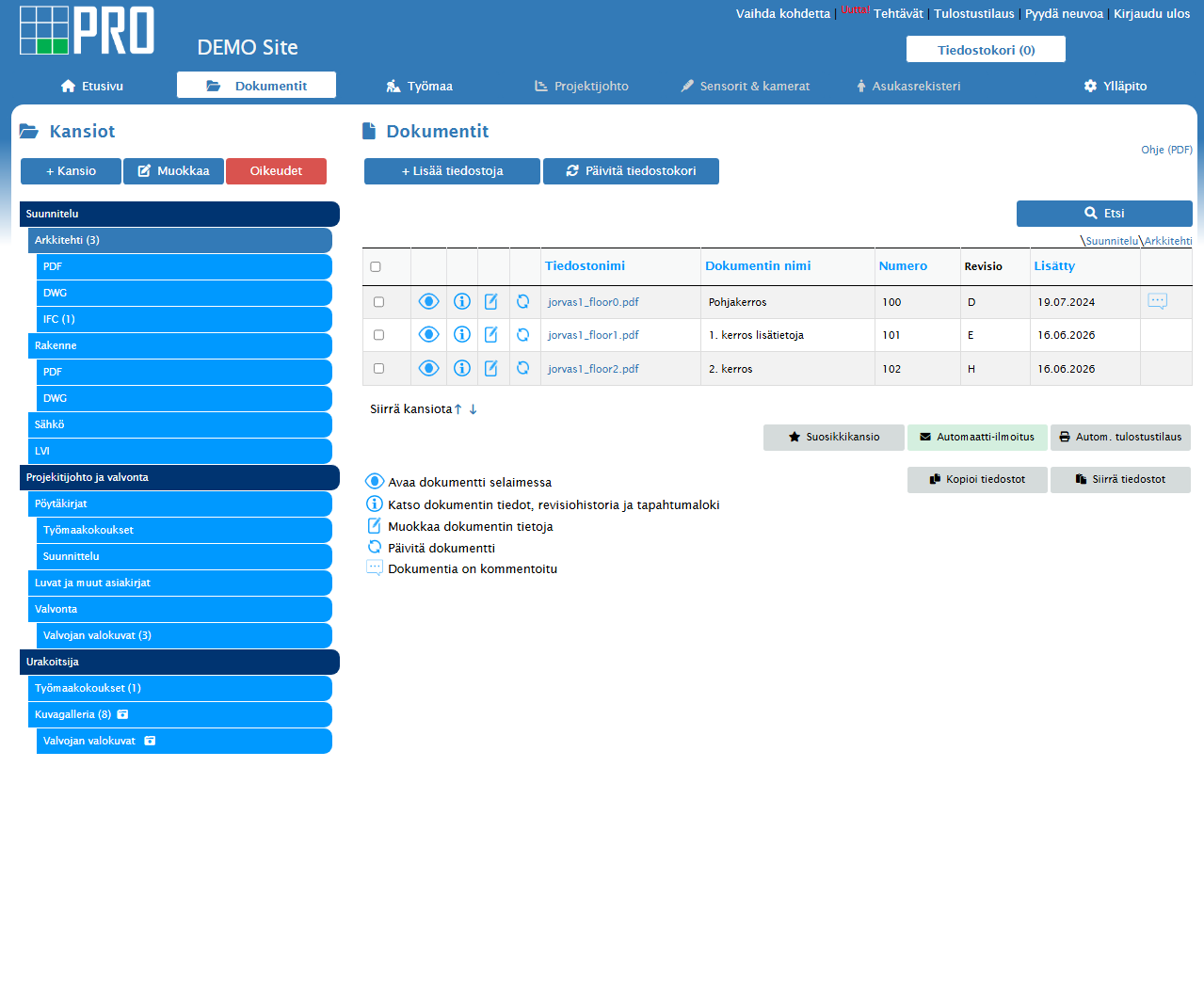 Documents, folders and versions are available in one organised view.
The foundations of a good system
Key features of a project bank
The features you need depend on the project’s size and participants. A construction project bank should offer at least the following.
01
Document management
Folders, metadata, versions, distribution and powerful search.
02
Access permissions
Access control by project, folder, group and user.
03
Version control
The current version, previous versions and change history.
04
Site tools
Diaries, inspections, defect lists, tasks and photos.
05
Notifications
Automatic notifications about new documents and tasks.
06
Reporting
An overview of open issues, quality and project progress.
Comparison
Project bank or shared drive?
A standard shared drive or general cloud storage may be enough for limited internal file sharing. Construction projects often need more detailed version control, access permissions, distribution and activity history.
| Feature |
Project bank |
Shared drive |
| Document version history |
Controlled and traceable |
Often relies on filenames |
| Access permissions |
By project, folder and role |
Typically by folder |
| Distribution and notifications |
Automatic and documented |
Often by email |
| Construction tools |
On the same platform |
Separate systems |
| Activity history |
Available to review centrally |
Limited |
Project participants
Who is a project bank for?
A project bank serves everyone involved in a project, with each person using it according to their role and responsibilities.
A
Clients and developers
An overview of decisions, documents, responsibilities and progress.
B
Designers
Drawing distribution, versions, comments and approvals.
C
Contractors
Up-to-date plans, site tasks, inspections and reports.
D
Site supervisors and project managers
Track observations, defects, approvals and open issues.
Practical steps
How do you get started with a project bank?
Introduce a project bank as early as possible. This keeps materials organised from the design stage onwards and avoids having to transfer information from multiple sources later.
Define the structure and working practices
Agree on folder structure, naming, metadata and responsibilities.
Add users and permissions
Give each participant access to information appropriate to their role.
Import the initial documents
Transfer the documents you need and check their versions.
Train the project team
Make sure everyone understands and follows the agreed practices.
Successful setup starts with agreeing how to work together.
The system supports the project best when everyone understands how to store, distribute and approve information.
Frequently asked questions
Questions about project banks
Are project banks only for large construction projects?
No. Shared document management also reduces time spent searching for information and helps prevent outdated file versions from being used in smaller projects.
Can a project bank be used on a mobile device?
A browser-based service can be used on a computer, tablet or phone without installing desktop software.
How is information secured in a project bank?
Information security relies on a secure connection, user authentication, controlled access permissions, and activity and version histories.
When should you introduce a project bank?
Ideally at the start of the project, so documents and decisions are collected in the same system from the beginning.